MAVLink Telemetry to Connect Betaflight to the Mission Planner Ground Control Station.
The Betaflight can be connected to Ground Control Stations by using ExpressLRS-MAVLink mode: https://www.expresslrs.org/software/mavlink/
Betaflight firmware flashing
Set MAVLink as Serial RX and telemetry protocols and flash firmware.
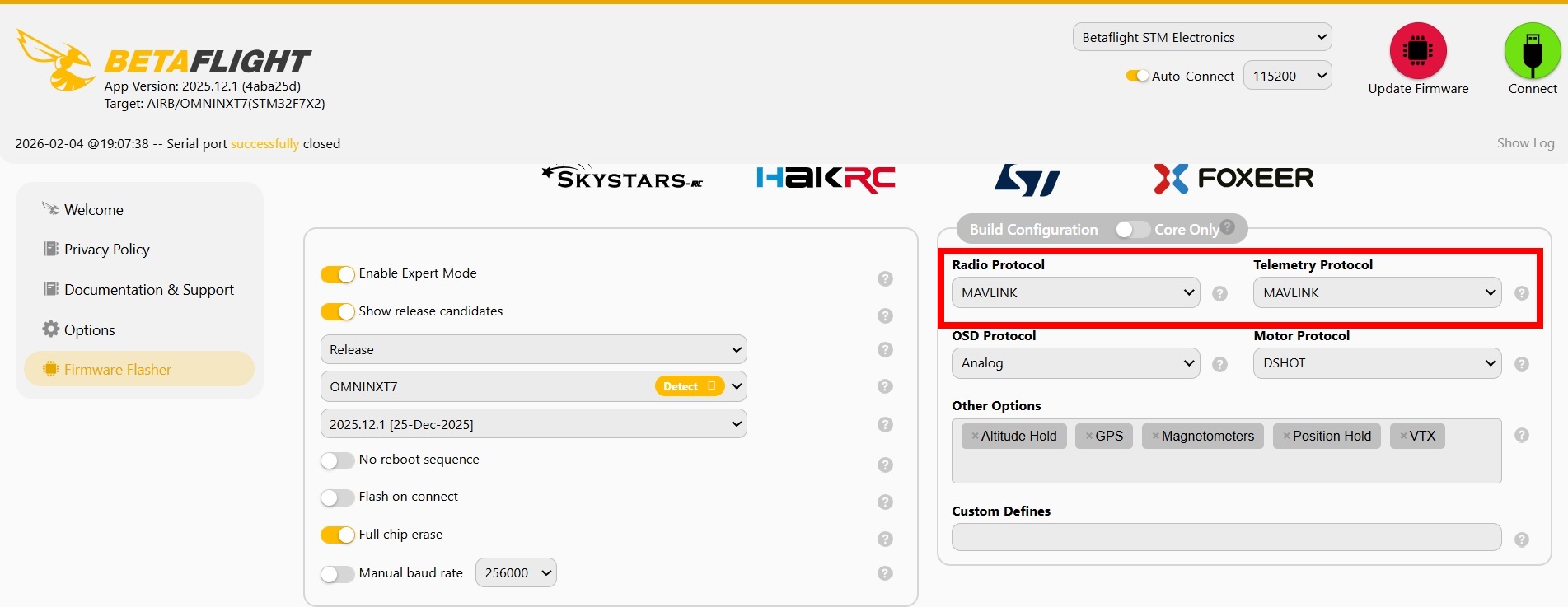
If you want to use a CRSF protocol in the future too, then set SERIALRX_CRSF and TELEMETRY_CRSF option as Custom Defines.
Betaflight setup
Use MAVLink as Serial receiver provider.
Set Serial RX mode for ELRS receiver port and set MAVLink as telemetry output.
Use default telemetry baud rate.
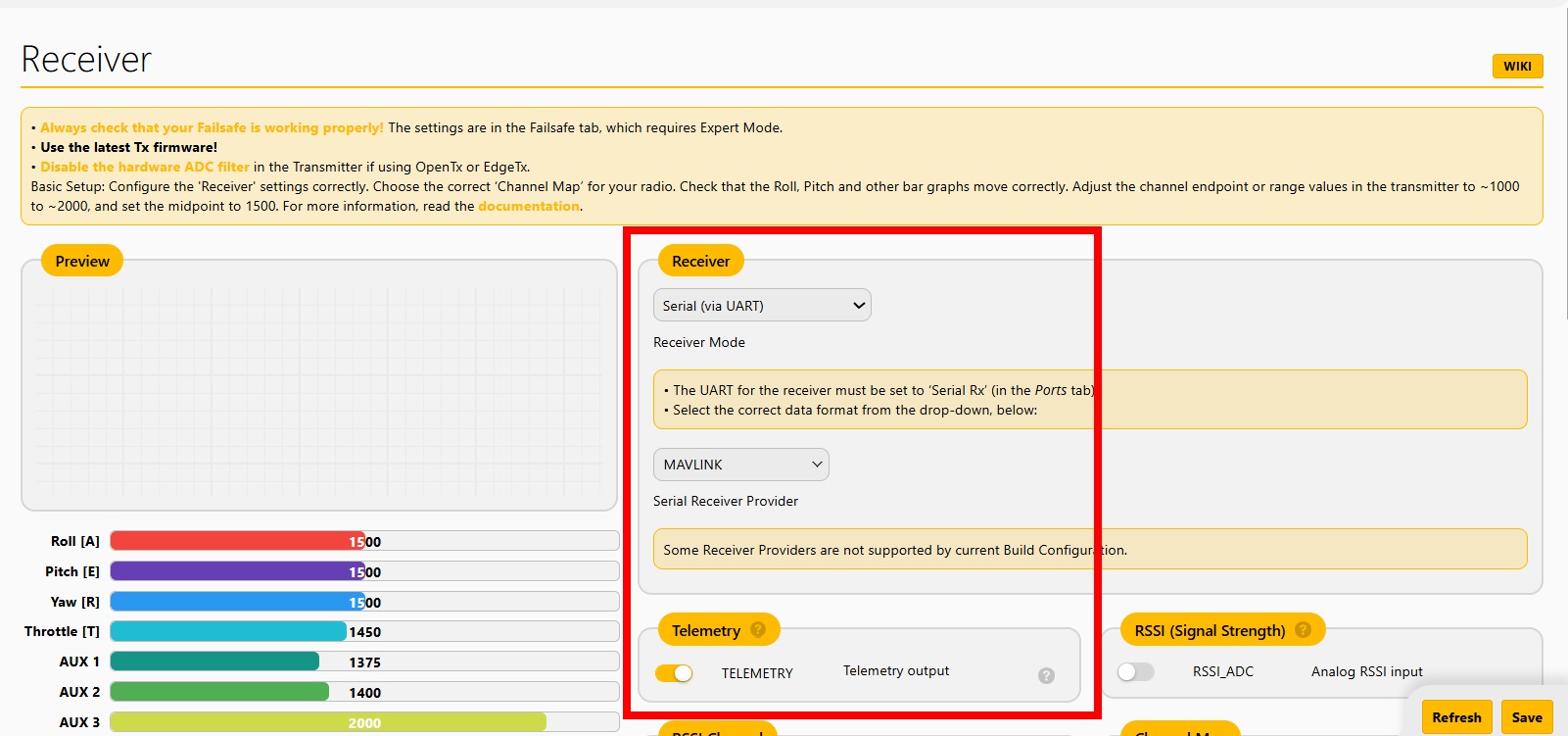
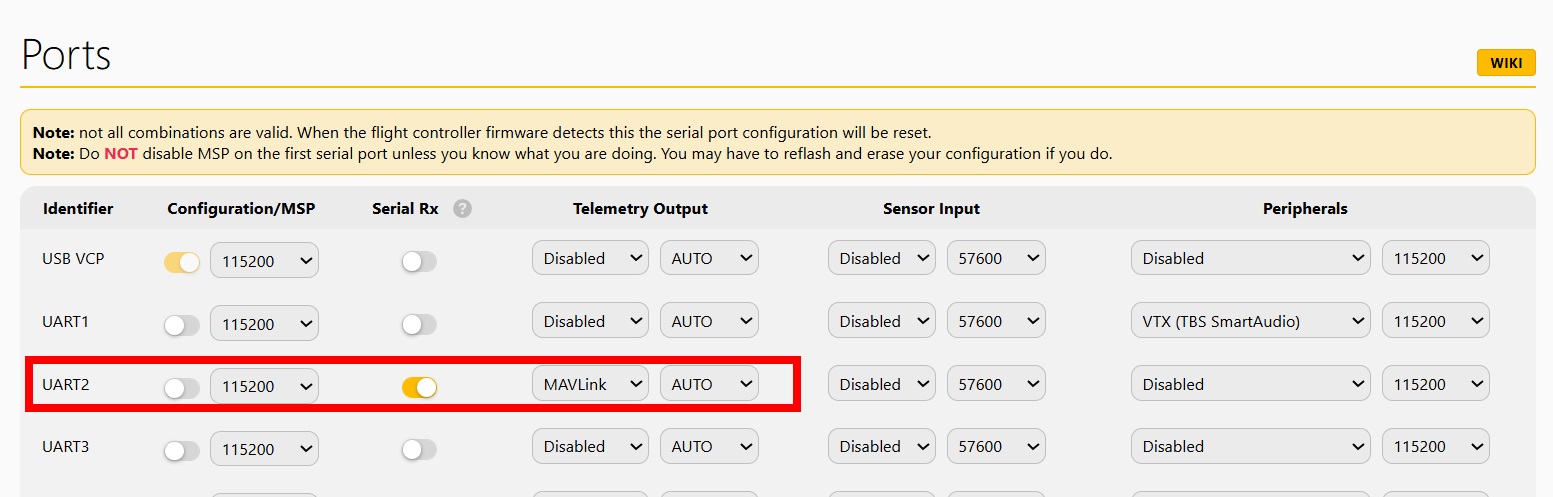
If you flashed MAVLink and CRSF protocol both, you can switch on CRSF serial RX and telemetry mode when it needs. Please pay attention! Do not save CRSF Serial RX and MAVLink telemetry output at the same time; these settings are incompatible and can reset port configuration.
ExpressLRS setup
Setup ExpressLRS and Ground control station follow ExpressLRS manual https://www.expresslrs.org/software/mavlink/#flashing-elrs-for-mavlink
Extended Betaflight settings
The Betaflight has CLI commands to tune MAVLink data packets rates:
mavlink_pos_rate - GPS data frame rate (default is 2Hz)
mavlink_rc_chan_rate - RC data frame rate (default is 1Hz)
mavlink_ext_status_rate - Status data frame rate (default is 2Hz)
mavlink_extra1_rate - Attitudes data frame rate (default is 2Hz)
mavlink_extra2_rate - Heartbeat + VFR HUD data frame rate (default is 2Hz)
mavlink_extra3_rate - Extended battery state data frame rate (default is 1Hz)
Verify MAVLink telemetry
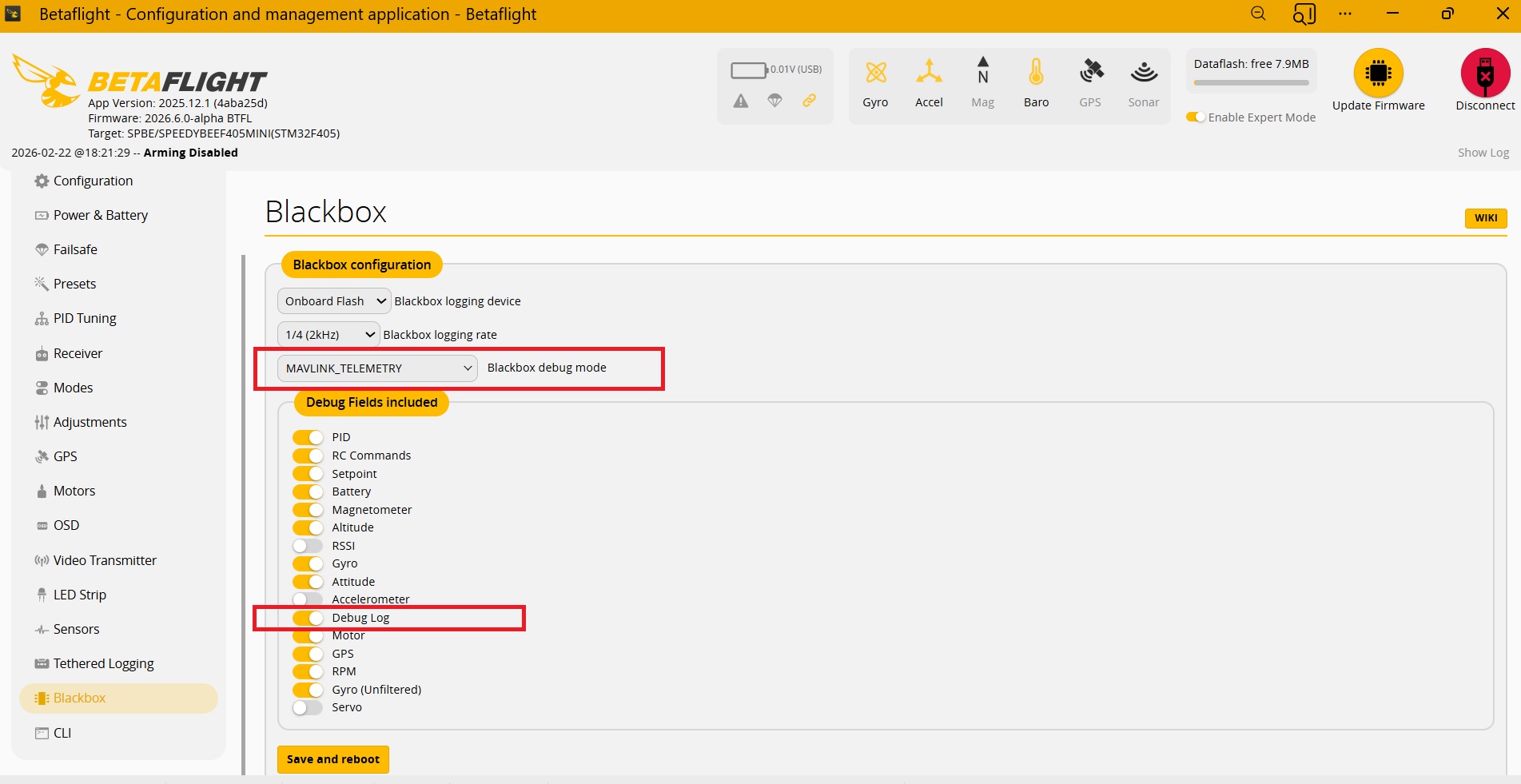
Set MAVLINK_TELEMETRY blackbox debug mode in the firmware app and use Blackbox Explorer.
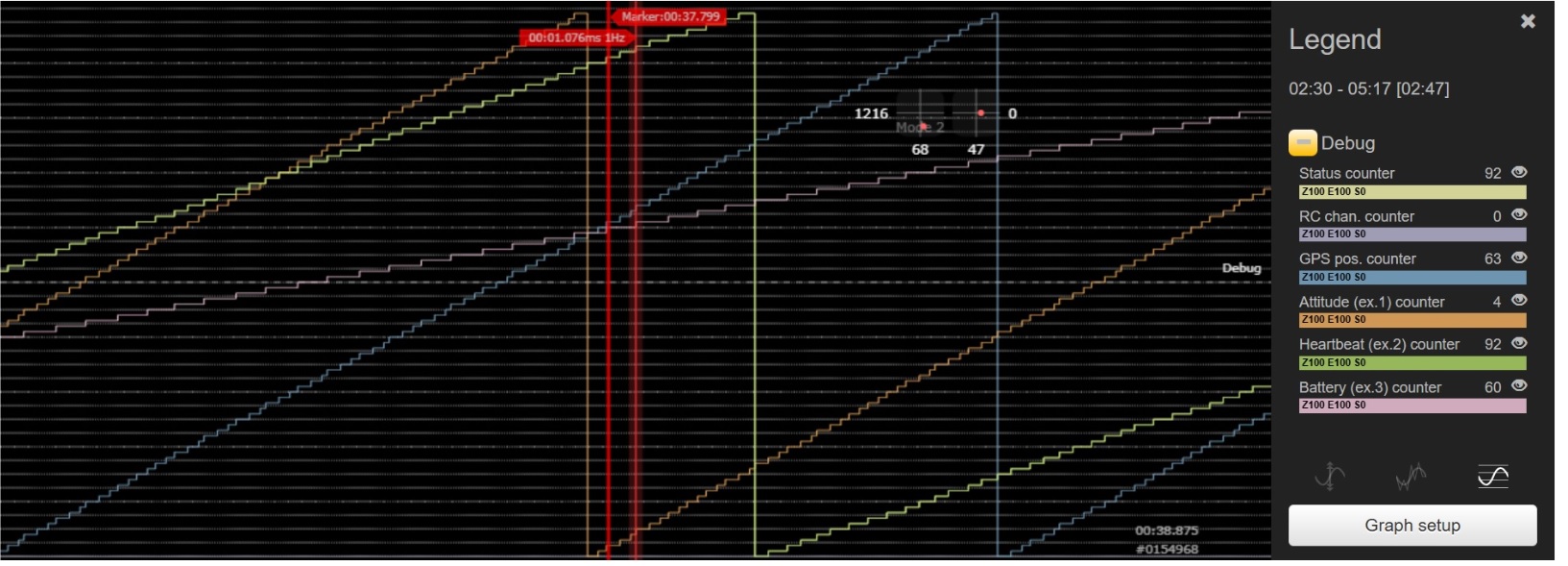
The Debug blackbox curves show MAVlink packets transmit counters to get real telemetry data rates.
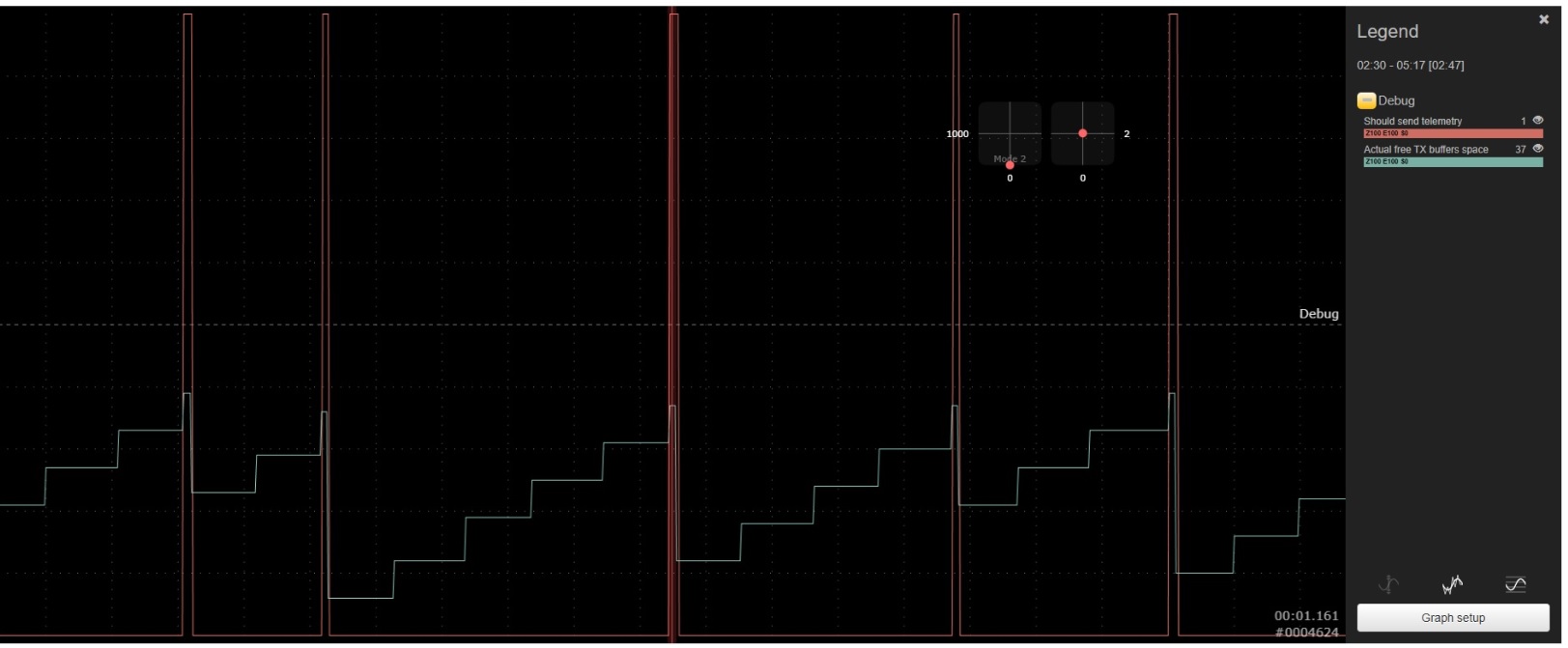
Check, that TX buffer has free space and it does not drop down to zero value.
The Betaflight telemetry prevents TX buffer overflow by using mavlink_min_txbuff CLI parameters.
The telemetries data are sent when free TX buffer space is more than mavlink_min_txbuff value.
The default mavlink_min_txbuff value is 35%.
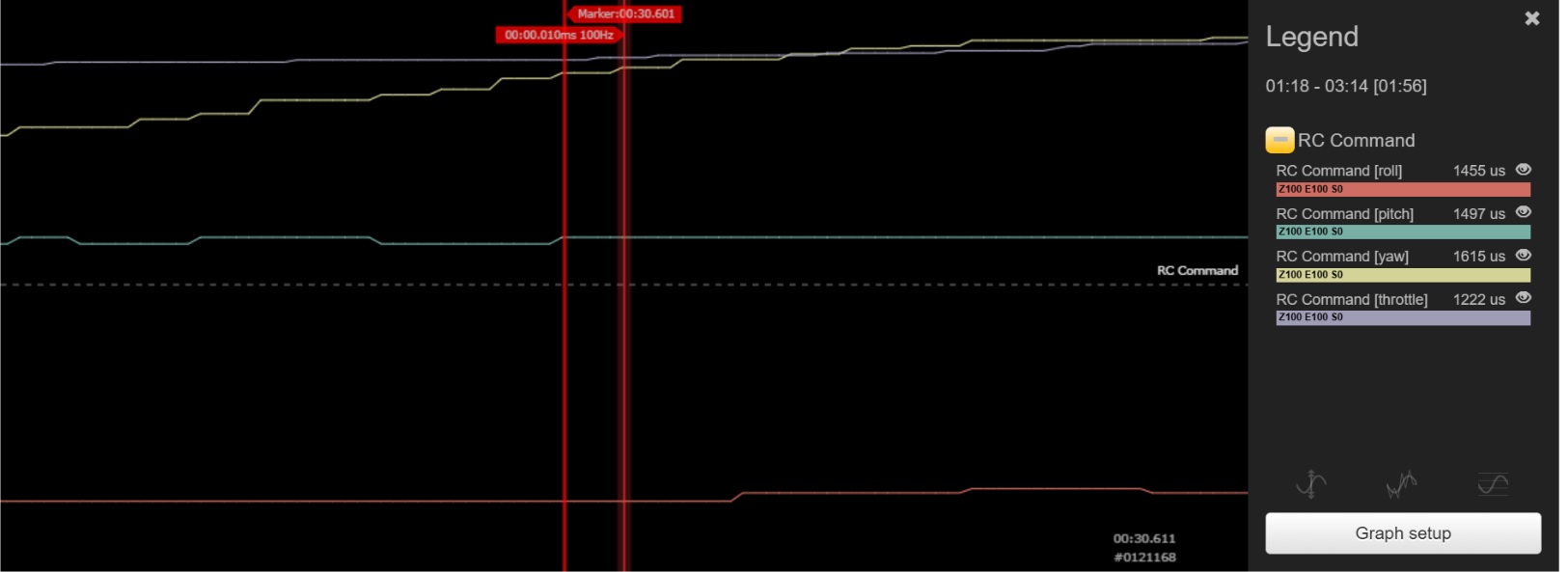
 Also, check actual RC data rate. It is 100Hz in my case.