Betaflight for iOS Is Now in Public Beta

The Betaflight App is coming to the iPhone, and it is native from top to bottom. It is being prepared for the upcoming Betaflight 2026.12 release, and the public beta is open now on TestFlight: join the beta.
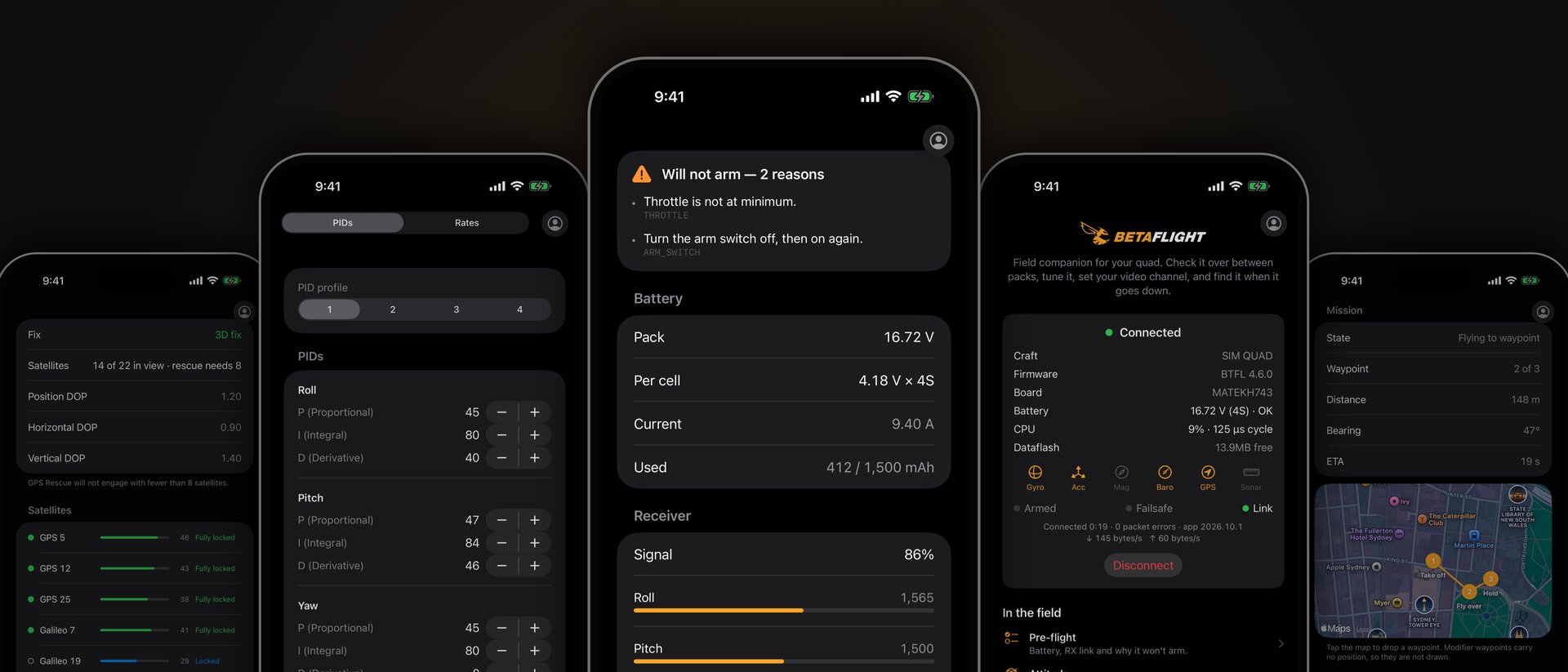
Built for the field
This is not the desktop app squeezed onto a phone. Betaflight for iOS is a field companion for the moments between packs, when you want to check, tweak and go without opening a laptop.
It is written entirely in Swift and SwiftUI, including its own MSP implementation built from scratch. Being fully native means the app talks directly to iOS's Bluetooth and local network stacks, with no web layer in between, which makes for faster and more reliable connections on the phone.
What you can do
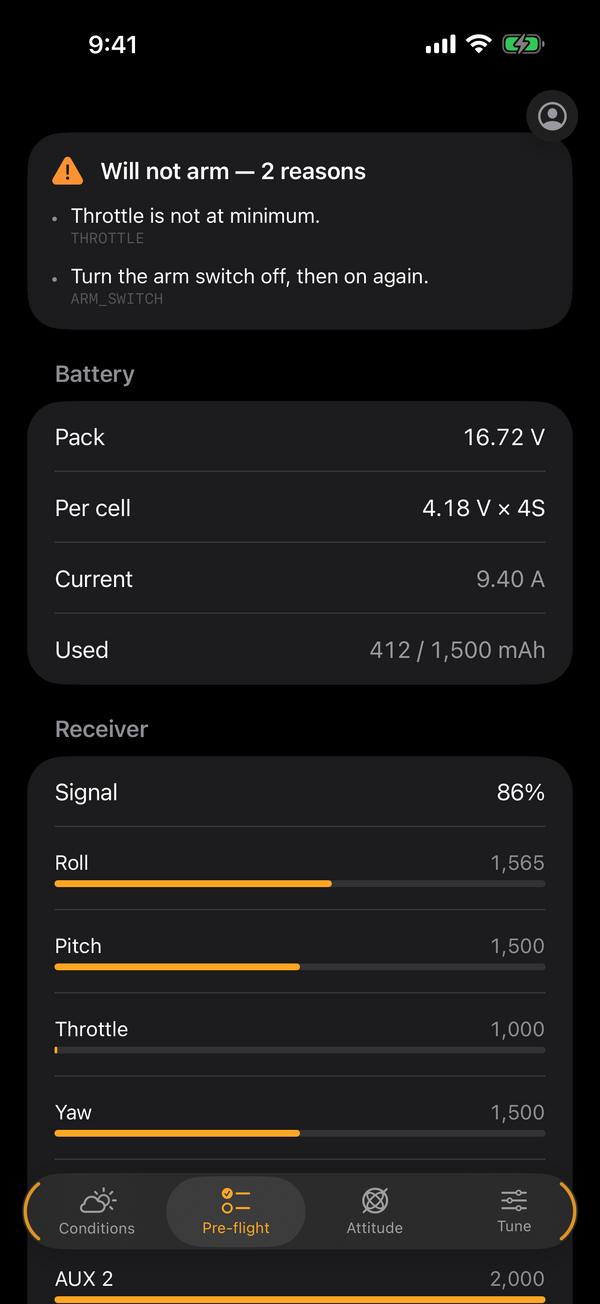
- Pre-flight: battery, a live receiver channel monitor, and arming-disable reasons in plain language, so you know exactly why the quad will not arm.
- Attitude: a live 3D model of your quad.
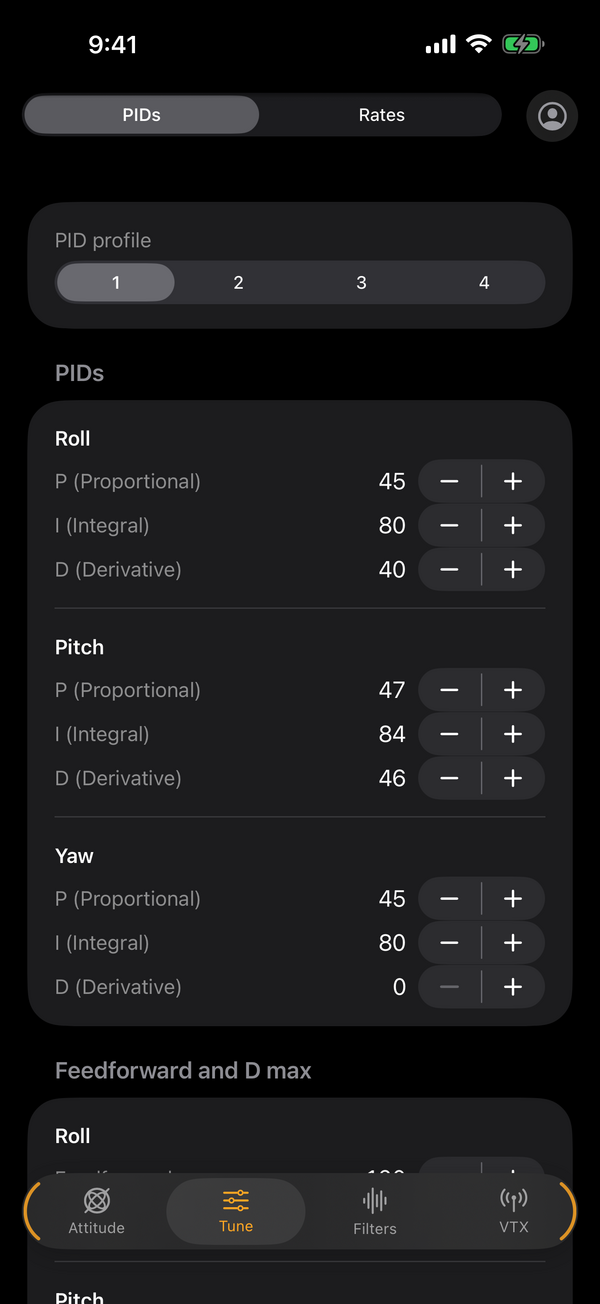
- Tune: PIDs using the firmware's simplified tuning sliders, with an optional Expert mode, and rates with a live curve. A diff backup is taken before any change is written.
- Filters: the gyro and D-term filter sliders.
- VTX: band, channel and power from your VTX table.
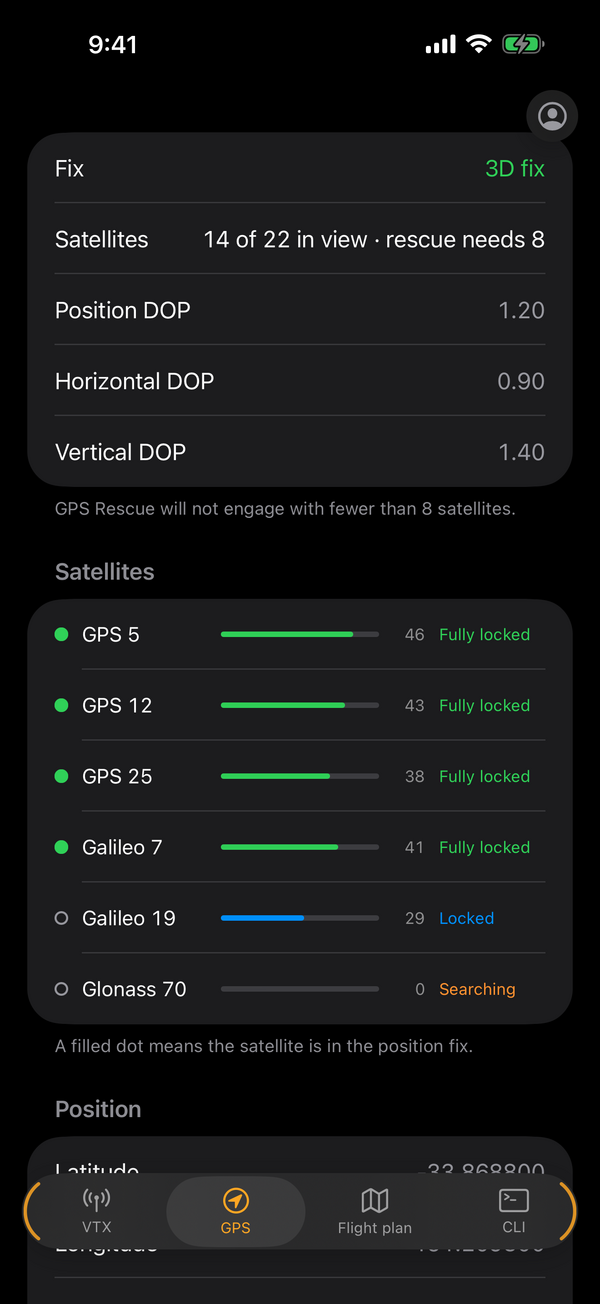
- GPS: satellite count and fix, plus your GPS Rescue minimum satellites.
- Flight plan: draft waypoint missions on the phone and follow progress in flight (requires firmware built with
USE_FLIGHT_PLAN). - Backups: sign in with your Betaflight account to store configuration backups and restore them, with compatibility warnings before anything is written.
- CLI: the full CLI, with the transcript kept as you move between tabs.
Tabs that write settings are locked while the craft is armed.
Is it worth flying?
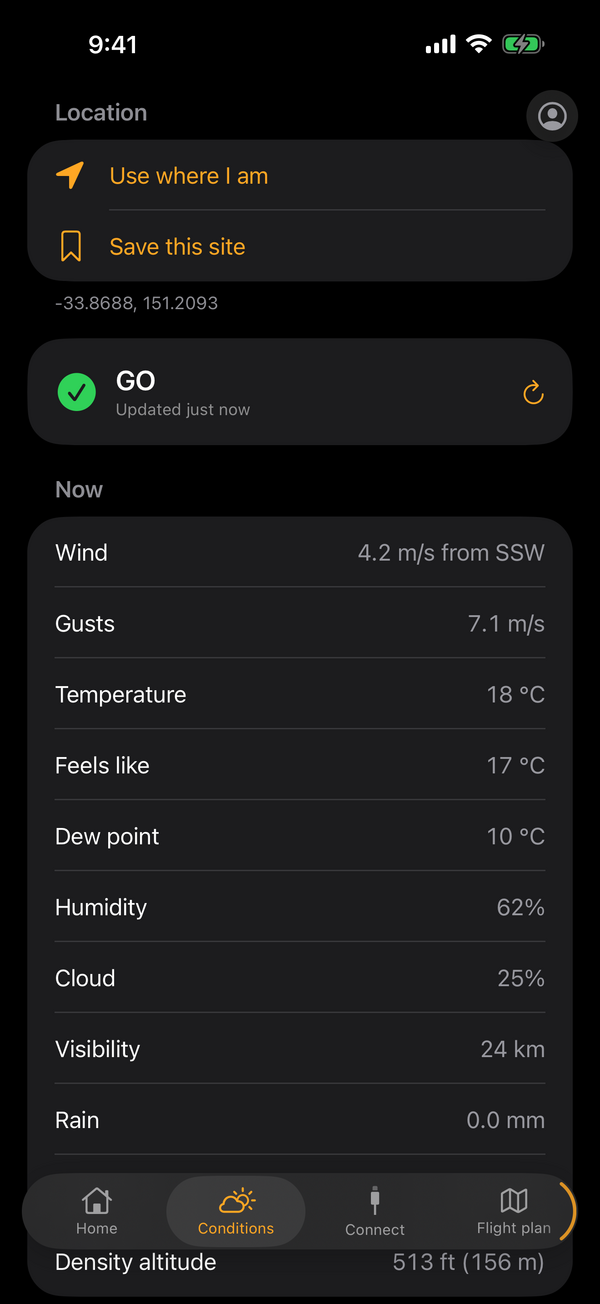
The Conditions tab answers that with a verdict from GO to NO-GO for your location or a saved site. That verdict is based on the current weather, wind at 10, 80 and 120 metres, and the geomagnetic Kp index, because a disturbed magnetic field can upset your GPS fix and GPS Rescue. An optional airspace and NOTAM check is available if you supply your own API keys. If you lose signal at the field, the last reading is still there.
Connecting
iPhones do not do USB serial to a flight controller, so the app connects wirelessly. You will need one of:
- A Bluetooth flight controller, or a BLE serial module on an MSP UART. Modules using the common
FFE0serial service (HM-10, HC-08, CC2541 style) or the Nordic UART Service are supported. Pick yours from the scan list. - The Betaflight bridge, an ESP32-S3 that plugs into your flight controller's USB port and exposes it over Wi-Fi. Enter its address in the Network option (port 5761).
- An ExpressLRS receiver in Wi-Fi mode, connected the same way over the network. ExpressLRS turns the radio link off while Wi-Fi is on, so this is for the bench, not for flying.
Recent connections are remembered for one-tap reconnect. The first time you connect over the network, iOS will ask for Local Network permission, which the app needs.
Requirements and limitations
- iPhone running iOS 17 or later. The layout is iPhone and portrait only for now.
- Firmware flashing and full setup (ports, receiver, modes, motors, OSD, Blackbox, presets and so on) stay in the desktop and web app at app.betaflight.com.
- Betaflight 2026.12 firmware or later. The app is being prepared alongside the upcoming 2026.12 release, so beta testers will need a 2026.12 build on their flight controller.
Feedback
This is a beta, and we want to hear what breaks. Send feedback from inside TestFlight: take a screenshot in the app, or use Send Beta Feedback in the TestFlight app. Tell us your flight controller, firmware version and how you connected.
The App Store release follows once the beta has settled. Until then, join the TestFlight beta.